Choosing an office printer
The cheapest printer to buy is rarely the cheapest to own. Pick on how much you print and what each page costs, then on features.
1. Start with monthly volume
Every printer has a recommended monthly volume. Running a small printer well above it wears it out and means changing toner all the time. As a guide:
| Pages per month | Typical user | What to look at |
|---|---|---|
| Up to 600 | Home office, reception desk | Compact mono laser or ink tank |
| 600–2,000 | Small office, shop back office | Mono or colour laser with automatic duplex |
| 2,000–6,000 | Busy office, several users | Faster business laser (40–60 pages a minute), extra paper tray |
| 6,000+ | Shared department printer | High-volume A4 or A3 model with on-site warranty |
2. Compare cost per page, not purchase price
Manufacturers quote a yield for each toner (pages at 5% coverage, roughly a typed letter). Divide the cartridge price by its yield to get the cost per page. Entry printers often ship with small starter toners and use low-yield cartridges, so a mono page can cost two to four times more than on a mid-range business model. Colour pages cost several times more than mono on any laser.
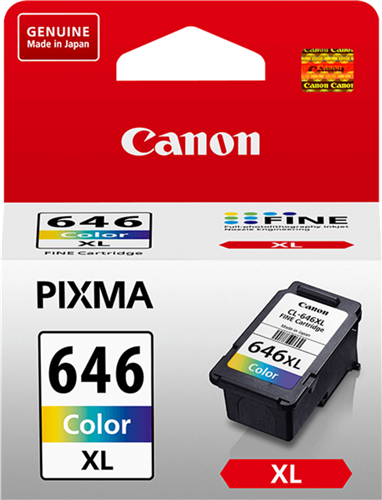
High-yield cartridges (often marked XL or with a higher number) cost more up front but less per page. Check which high-yield toner fits before you buy the printer.
3. Printer or multifunction?
A multifunction (MFC or MFP) adds copying and scanning, and often fax. For scanning several pages, look at the document feeder:
- Single-sided feeders scan one side only.
- Reverse (RADF) feeders scan both sides by passing the paper through twice.
- Dual-scan feeders read both sides in one pass, which is fastest.
4. A4 or A3
Most offices only need A4. Choose A3 if you print plans, posters or spreadsheets that need the larger sheet; A3 models are larger and cost more.
5. Connections
For a shared printer, use wired Ethernet. Wi-Fi suits a single user or a small office without cabling. Some models need an optional card for Wi-Fi.
6. Warranty
Entry printers are usually return-to-base: you take it back for repair. Business models from Kyocera and others often include two or three years on-site. Brother extends its warranty when you use genuine Brother consumables; keep your purchase records.
7. Paper
If you print on card or labels, check the maximum paper weight (gsm) for the tray you will use, and whether an extra paper tray is available for letterhead or a second paper size.
Send us your monthly volume, how many people print and whether you need colour or scanning, and we will compare models and running costs for you.